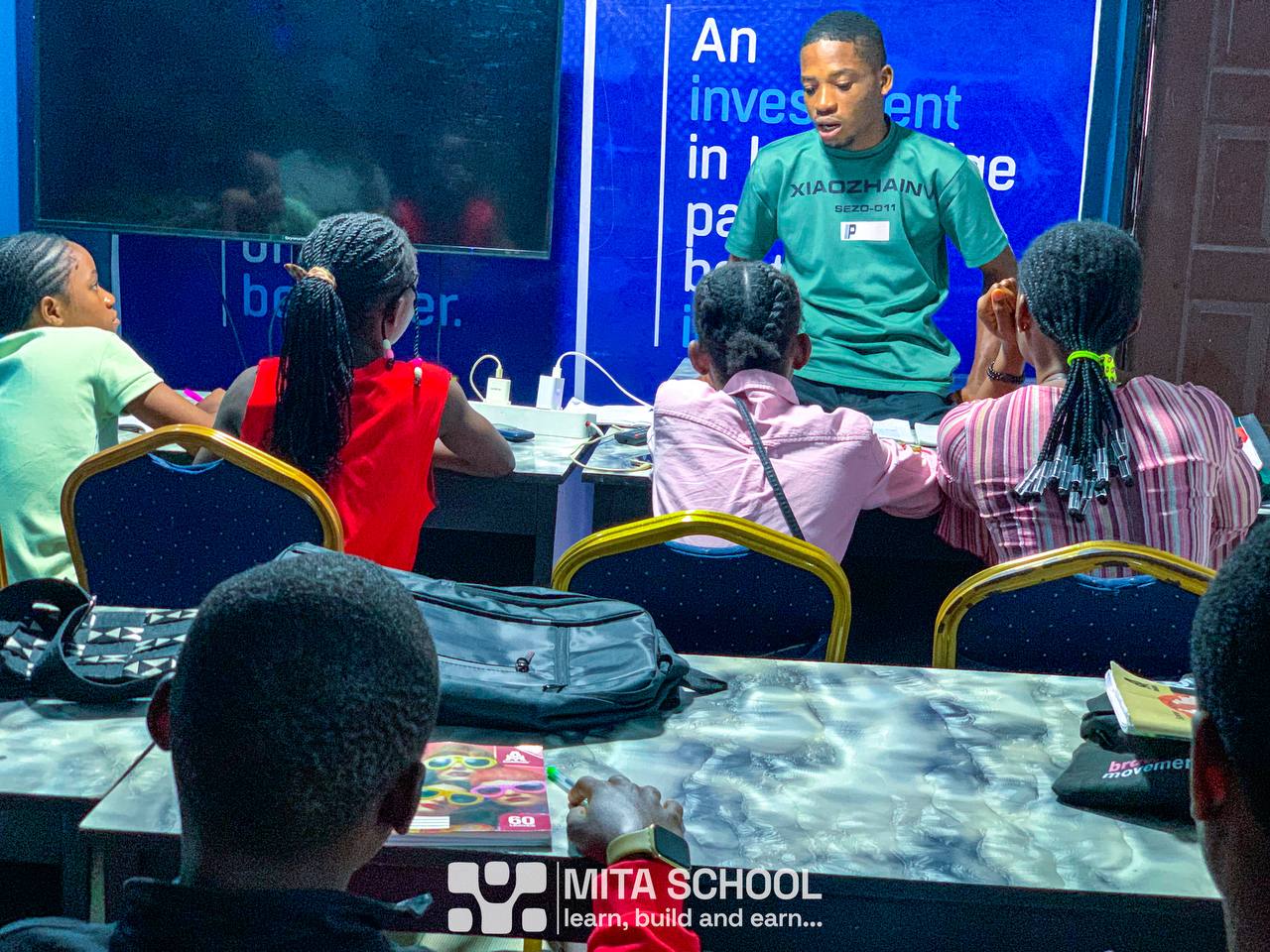

IT/SIWES programmes: three available courses
The 40% IT tuition discount is available only for Web Development, Cybersecurity and Data Analytics. Other courses discussed in this guide are general training options outside this IT offer.
Mita School · SIWES / Industrial Training · Uyo
Make your IT period count. Learn, practise and build in Uyo.
Looking for SIWES or IT placement in Uyo, Akwa Ibom State? Mita School offers practical tech training for eligible IT students, with a separate registration route and 40% off applicable tuition. Explore a programme that connects your academic department to useful digital work, then register and complete your school documents through your student account.
Three steps to payment: personal details → institution and programme → payment. School documents and placement details follow in your account. Departmental placement approval is reviewed separately.
Start with the work you want to do
Practical SIWES training in Uyo for more than computing students
Your university or polytechnic course can connect to a digital skill in several ways. An Accounting student can analyse expenses and reconcile records. A Political Science student can examine survey responses. A Mass Communication student can plan, film and edit a short report. A Computer Science student can build an application and explain how it works.
At Mita, start by choosing the work that fits your goals. Explore the programme content, discuss the tasks and supervision you need, and check your school’s requirements. You can use this page to compare pathways before entering the IT registration process.
Learn a defined skill
Choose a focused programme such as Data Analysis, Web Development, Cybersecurity, Digital Marketing or a creative course. Use the course page to understand its learning areas and ask what equipment you will need.
Build work you can explain
Plan a project with a clear problem, method and output. Keep drafts, screenshots, code or analysis notes so you can explain what you actually did and prepare an accurate logbook and report.
Choose the right enrolment route. The IT offer is for eligible IT/SIWES applicants. If you want a digital skill outside an approved attachment, explore ordinary course enrolment. A useful skills match is a starting point; your department determines which duties and host arrangements meet its academic requirements.
Same training. Reduced IT tuition.
Eligible IT students receive the same training as ordinary students enrolled in the same Mita programme and learning mode. The 40% offer reduces your tuition; it does not turn your programme into a shorter or lower-standard version. You still need to attend, practise, complete the work and meet the programme requirements.
Your academic course → your practical pathway
Which Mita programme fits your department?
Use these 25 department groups to find a starting direction. The project examples below are suggestions to discuss with a tutor, rather than promises that a particular project or specialist placement is already assigned. Select a programme and mode available in IT registration; the broader course catalogue also contains options whose current IT availability needs confirmation.
The comparison table scrolls horizontally on smaller screens. Course names open the relevant programme page.
| Your department | Explore these programmes | Example task to discuss | Tools or work evidence |
|---|---|---|---|
| Accounting / AccountancyView placement guide → | Data Analysis · AI & Automation | Reconcile a practice sales ledger, explain mismatches and build an expense dashboard. | Excel, Power BI; reviewed reporting workflows |
| Banking, Finance / InsuranceView placement guide → | Data Analysis · Python Programming | Compare repayment or transaction patterns using a synthetic dataset and document the limitations. | Spreadsheets, charts; introductory Python |
| Economics / Development StudiesView placement guide → | Data Analysis · Python Programming | Analyse public economic indicators and write a short evidence-based briefing. | Data cleaning, visualisation, reproducible scripts |
| Business Administration / EntrepreneurshipView placement guide → | Digital Marketing · No-Code Web Development · Data Analysis | Plan a small-business website and measure enquiries, sales or operating costs. | WordPress, campaign planning, business dashboards |
| Marketing / Public RelationsView placement guide → | Digital Marketing · Videography | Create a campaign brief, content calendar and measurement report for a practice brand. | Audience research, content, video, analytics |
| Political Science / Public AdministrationView placement guide → | Data Analysis · Digital Marketing | Analyse a public-service survey and turn findings into clear charts and a communication plan. | Survey coding, spreadsheets, reporting |
| Sociology / Psychology / Social WorkView placement guide → | Data Analysis · UI/UX Design | Explore an anonymised survey or investigate usability barriers in a public-service website. | Survey analysis, interviews, research summaries |
| Law / Legal StudiesView placement guide → | AI & Automation · No-Code Web Development · Data Analysis | Build a fictional case-tracking workflow or legal-service information website with human review. | Document organisation, workflow design, spreadsheets |
| Mass Communication / JournalismView placement guide → | Digital Marketing · Videography · Cinematography | Research and produce a short explainer video, supporting article and distribution plan. | Storyboarding, camera work, editing, audience reporting |
| English / Linguistics / LanguagesView placement guide → | Digital Marketing · AI YouTube Automation | Develop an editorial calendar and a properly sourced educational content series. | Writing, editing, fact-checking, production workflows |
| Computer Science / IT / Information SystemsView placement guide → | Full Stack Web Development · Cybersecurity · Python Programming | Build and test a useful web tool, or document a security exercise in an authorised lab. | Code, databases, version control or security labs |
| Software EngineeringView placement guide → | Full Stack Web Development · App Development · DevOps Engineering | Develop a small application, track changes and document how it is tested and deployed. | Application code, APIs, version control, deployment |
| Cybersecurity / Network-related StudiesView placement guide → | Cybersecurity · Python Programming | Write an asset inventory, investigate a simulated incident and produce a remediation report. | Authorised lab systems, logs, scripts |
| Statistics / Mathematics / Actuarial ScienceView placement guide → | Data Analysis · Python Programming | Clean a dataset, explain the method and build a dashboard with clearly stated assumptions. | Excel, Power BI, Python |
| Computer / Electrical / Electronic EngineeringView placement guide → | Python Programming · Data Analysis · AutoCAD | Process sample equipment readings, chart trends or practise technical drawing. | Python, spreadsheets, CAD drawings |
| Mechanical / Civil EngineeringView placement guide → | AutoCAD · Data Analysis | Produce a supervised practice drawing or report on an engineering dataset. | Drafting, measurement records, charts |
| Architecture / Building / Quantity SurveyingView placement guide → | AutoCAD · Data Analysis | Prepare a practice drawing and a structured materials or cost-comparison workbook. | CAD, spreadsheets, project documentation |
| Fine Arts / Industrial Design / Creative ArtsView placement guide → | UI/UX Design · Videography · Cinematography | Research a design problem, build a clickable prototype or develop a visual story. | User research, prototyping, composition, editing |
| Office Technology / Business EducationView placement guide → | AI & Automation · Data Analysis · No-Code Web Development | Design a records workflow and a dashboard that tracks administrative requests. | Spreadsheets, structured documents, workflow tools |
| Education / Educational TechnologyView placement guide → | No-Code Web Development · Videography · UI/UX Design | Build a demonstration learning-resource website and test whether its navigation is understandable. | Website tools, accessible content, educational media |
| Library / Information ScienceView placement guide → | Data Analysis · AI & Automation · No-Code Web Development | Organise a sample catalogue and report on borrowing patterns without exposing reader identities. | Metadata, spreadsheets, search and document workflows |
| Agriculture / Food ScienceView placement guide → | Data Analysis · Digital Marketing | Analyse a sample farm-sales or food-stock dataset and explain the findings to a small business. | Spreadsheets, dashboards, practical communication |
| Environmental Science / Geography / Estate ManagementView placement guide → | Data Analysis · AutoCAD | Compare public environmental indicators or prepare a practice drawing and supporting report. | Data visualisation, drafting, documentation |
| Biological / Laboratory / Health-related ProgrammesView placement guide → | Data Analysis · Python Programming | Explore a public or synthetic research dataset and document quality checks. | Spreadsheets, introductory scripts, responsible reporting |
| Hospitality / Tourism / TransportView placement guide → | Digital Marketing · Data Analysis · No-Code Web Development | Analyse sample bookings or enquiries and develop a destination or service information page. | Campaigns, dashboards, websites |
Accounting students: turn figures into decisions
Data Analysis is a particularly useful starting point if you study Accounting or Accountancy. A practice reconciliation can teach you to find duplicate entries, trace missing amounts and explain why totals differ. A dashboard can turn a long transaction sheet into a clear picture of revenue, costs and outstanding payments. Begin with a realistic question, check the data and write a short explanation of your findings. Data Analysis is the programme to explore first.
Political Science students: make research easier to understand
Try a practice survey about access to a public service. Decide how to code the answers, identify missing responses and show the results without overstating what a small sample proves. Data Analysis helps with that work; Digital Marketing can support clear public communication. Those skills can also be useful in advocacy, research support and programme reporting.
Law students: build useful digital workflows
Explore how a fictional practice might organise enquiries, track document versions or explain its services online. AI and Automation can help you study workflow design, while No-Code Web Development can support a service website. Use fictional or authorised material for exercises, check AI output against reliable sources and keep professional judgement with qualified people. This pathway does not replace a required legal attachment or professional training.
For engineering, laboratory and health-related departments, discuss required facilities and specialist duties early. Drafting, data work and software skills can complement your subject; they do not establish access to a workshop, clinical setting, laboratory, sea-time placement or construction site.
Find your school · Plan your attachment
SIWES guidance for universities and polytechnics in Akwa Ibom
Whether you study in Uyo, Ikot Ekpene, Eket, Oron, Ikot Abasi or another part of Akwa Ibom, begin with your own institution’s instructions. Confirm which students need attachment, the dates, required duties and the process for approving a host. Being listed here does not imply that every department runs SIWES or that the institution has a partnership with Mita School.
Universities
- University of Uyo (UNIUYO) — View student guide →
- Akwa Ibom State University (AKSU) — View student guide →
- Federal University of Technology, Ikot Abasi (FUTIA) — View student guide →
- Federal University of Agriculture and Technology, Obio-Akpa — View student guide →
- University of Maritime Studies, Oron — View student guide →
- Obong University — View student guide →
- Ritman University — View student guide →
- Topfaith University — View student guide →
- Southern Atlantic University, Uyo — View student guide →
Polytechnics
- Akwa Ibom State Polytechnic, Ikot Osurua — View student guide →
- Federal Polytechnic, Ukana — View student guide →
- Ibom Metropolitan Polytechnic, Uyo — View student guide →
- Heritage Polytechnic, Eket — View student guide →
- Foundation Polytechnic, Ikot Ekpene — View student guide →
- Trinity Polytechnic, Uyo — View student guide →
- Sure Foundation Polytechnic, Ikot-Akai — View student guide →
- Uyo City Polytechnic — View student guide →
- Brainfill Polytechnic, Ikot Ekpene — View student guide →
- Gestric Polytechnic, Uyo — View student guide →
- El-Thomp Polytechnic, Abak — View student guide →
- Ultra Excellence Polytechnic, Uyo — View student guide →
- Hope Polytechnic, Ikono — View student guide →
- Loam Polytechnic, Ikono — View student guide →
- Southern Atlantic Polytechnic, Uyo — View student guide →
University names were checked against the NUC register and polytechnic names against NBTE records on 14 November 2026. These lists identify institutions to check, not current placement vacancies or blanket programme accreditation. Confirm the institution’s current operational name, programme status and attachment instructions directly, particularly for new or transitioning institutions.
Maritime, college and institution-name checksShow details +Hide details −
The NBTE records also contain Maritime Academy of Nigeria, Oron, and Akwa Ibom State College of Arts & Science, Nung Ukim. Check the current naming and applicable programme arrangements before applying. University of Maritime Studies and Maritime Academy references should not be assumed to represent two separate current student cohorts. Students using the Maurid name should confirm their precise institution and programme classification. Tell admissions the name shown on your school documents.
What to check with your school before committing
- Does your particular programme require SIWES, post-ND industrial training or a different type of attachment?
- Will the proposed digital work count towards your department’s learning requirements?
- What dates, weekly attendance and supervision arrangements must the host support?
- Which letter or acceptance form must the host complete, and who at school approves it?
Bring those answers into your registration and later document review. If your school is not listed, you can still enquire through the same route.
Understand the amount before you pay
IT training fees in Uyo: how the 40% tuition discount works
The separate IT registration route applies a 40% reduction to eligible tuition using your selected programme and learning mode. Non-tuition items are displayed separately. The ordinary full-payment discount does not stack with this IT offer.
| Programme | Standard tuition | IT tuition after 40% off |
|---|---|---|
| Cybersecurity | ₦350,000 | ₦210,000 |
| Full Stack Web Development | ₦350,000 | ₦210,000 |
| Data Analysis | ₦350,000 | ₦210,000 |
| AI & Automation | ₦300,000 | ₦180,000 |
| Digital Marketing | ₦200,000 | ₦120,000 |
| AutoCAD | ₦250,000 | ₦150,000 |
The Mita Student Essentials Package is ₦15,000 once, where applicable, and is separate from discounted tuition. For example, ₦210,000 IT tuition plus an applicable ₦15,000 package gives a full-payment total of ₦225,000. The package covers the certificate of completion, student ID card, branded T-shirt and portal/professional profile access.
Your saved checkout quote confirms the actual amount, applicable package and available payment plan. Online and physical tuition can differ. Instalments, where offered, divide the discounted tuition; review the first amount due and later due dates before paying. Recheck current fees rather than treating an illustration on this page as your individual quote.
This is fee-based training. No salary, paid-placement allowance, free accommodation or guaranteed employment is included in this offer. Read the IT registration terms and refund policy before submitting your declaration.
Personal details → School and choice → Payment
How to register for IT training at Mita School in Uyo
Step 01 · Personal details
Enter your contact information
Provide your full name, email and phone number. Use an email you can access and a phone number admissions can reach. Choose Save and continue.
Step 02 · Institution and programme
Confirm your school and course choice
Enter your institution, academic department and registration or matriculation number. Choose an available Mita programme and learning mode. Check the details, read the terms and accept the accuracy and eligibility declaration.
Step 03 · Payment
Review your discounted quote
Check the tuition reduction, package and payment option, then continue to the payment provider. You can upload school documents afterwards; they do not block this step.
After payment · Student account
Finish your placement details
After confirmed payment, verify your email to finish setting up or accessing your ordinary student account. Add attachment dates and school documents. Admissions reviews eligibility and the placement requirements separately.
The registration page saves typed details after a short pause when connected. Check its save status before leaving and return in the same browser to resume a draft. If a payment attempt fails, follow the registration instructions for retrying rather than submitting a screenshot as proof of success.
Documents, acceptance letters and your SIWES logbook
The document students first bring is often a school introduction or placement letter. Some schools also provide an employer acceptance form. Use the actual names and instructions on your school’s documents; requirements differ.
- For registration: have your contact details, institution, department and matriculation or registration number ready.
- For later review: prepare your school introduction/placement letter, any employer acceptance form, required attachment dates and department instructions.
- During attachment: keep your logbook, actual project evidence and any school reporting or supervision forms up to date.
- At commencement or completion: follow the applicable instructions for SCAF, ITF Form 8 and any institution-specific assessment documents.
You can complete placement details and upload the supported school document through the private student-account area after payment. A clear PDF, JPG or PNG within the displayed upload limit is easier to review than a blurred phone photo. Do not put your matriculation number, school letter or private records in public comments.
Payment confirmation records your training payment. An acceptance letter or completed school form requires the appropriate placement review and authorisation. Keep your logbook tied to work you actually performed: state the task, tool, result and what you learnt. Ask your supervisor to review entries according to your school’s schedule.
Student spotlight · Real learning experiences
See how Mita students put their training to work
These published stories make the connection between learning a skill and using it more concrete. They describe each student’s own experience of Mita training; they do not establish an IT placement, discount entitlement or the same outcome for another student.

Esther Ulasi Ebube: Banking and Finance meets Data Analysis
Esther studied Banking and Finance and later pursued a master’s programme in Business Management. In her interview on 16 October 2026, she described learning Excel functions, building dashboards and working with Power BI and Python. At that interview she was in the final month of her six-month programme. Her account gives finance students a concrete example of how analytical training can build on their existing interests.
Mary Offiah: analysing loan data and explaining the results
Offiah Mary Ijok’s spotlight describes a six-month Data Analytics journey, a loan-data project and the confidence she developed when presenting her work. She also explains the effort involved in understanding datasets and asking her tutor for clarification. For students interested in finance or reporting, it is an example of learning to interpret information and communicate what it means.
Iniobong Ekanem: an AKSU student building for a client
Iniobong joined Mita as a final-year Akwa Ibom State University student. His published account describes taking on a business website three months into web-development training, with tutor support. He later reflects on further project work, communication and understanding a client’s problem before building. His story shows one learner’s progression from lessons into practical work.
For your own IT period, discuss a realistic project scope with your tutor and keep evidence of your contribution. Use these stories to decide which questions to ask about the training you want.
Look at the work, then plan your own
Explore practical projects before choosing your IT pathway
The Mita Student Innovation Lab includes published tools and project ideas. You can inspect a live tool, examine the problem it solves and discuss a suitable build with your tutor. Published work and open project briefs have different statuses; a brief in the catalogue is not evidence that a student has already completed it.
For an accounting or business pathway, a useful project could organise invoices and explain totals. For a development pathway, you might study how a formatter validates input and communicates an error. For a communication pathway, you could plan a clear demonstration video for a finished tool. Choose a scope you can finish and explain within the agreed programme.
Browse student profiles and the lab alongside the programme pages. These resources show the wider Mita learning environment; they are not presented here as individual SIWES case studies or guarantees of the same outcome for every applicant.
Uyo is the physical training location
Finding Mita School in Uyo, Akwa Ibom State
Ikot Ekpene Road Campus
115 Ikot Ekpene Road, Uyo, Akwa Ibom State. Upper floor, in the same building as Keystone Bank, above Dulux Paints, just after UNIUYO Annex Gate and near the VIO Office.
Barracks Road Campus
15 Ekpenyong Street, Off Barracks Road, Uyo, Akwa Ibom State. Confirm which campus handles your selected programme before visiting or arranging accommodation.
If you are coming from Eket, Ikot Ekpene, Abak, Oron, Ikot Abasi or another area, consider transport costs and the attendance required for your programme. Those places are student catchment areas, not additional Mita training locations advertised by this guide. Ask about the actual timetable and campus before making daily travel plans.
For help with programme availability, school requirements or a saved registration, use Mita School’s contact page or call 0703 799 7791. Use the dedicated IT registration button when you are ready to enrol.
Free SIWES resources and student success kit
Download eight print-ready PDFs: preparation checklist, student information sheet, handwritten application form, CV and outreach worksheets, logbook and weekly review sheets, technical report and defence guide, portfolio planner and school document tracker.
Continue with the question you need answered
SIWES guides for students in Uyo and Akwa Ibom
Applying and finding a host
School and application questions
Use these guides to prepare questions and organise your application. Current vacancies, school instructions and an individual acceptance decision must be confirmed with the relevant organisation or institution.
Questions about SIWES and IT placement in Uyo
Where can I do SIWES or IT placement in Uyo?Show details +Hide details −
Start with organisations whose work matches your department: technology organisations, professional practices, businesses, media organisations and relevant public institutions. At Mita School in Uyo, you can register for practical tech training through the IT route and submit your school requirements for placement review. Match the duties, supervision and dates to what your department accepts.
Can an Accounting student choose Data Analysis?Show details +Hide details −
Yes. Data Analysis is a strong skills match for Accounting: you can practise reconciliation, expense reporting, financial dashboards and explaining figures clearly. Choose it in IT registration if it is available for your preferred mode. Your department still decides whether the proposed duties fulfil its attachment requirements.
Can Law or Political Science students learn at Mita School?Show details +Hide details −
Yes. Law students can explore AI and Automation, Data Analysis or No-Code Web Development; Political Science students can explore Data Analysis and Digital Marketing. These are useful digital-skills pathways. If your programme does not require SIWES or you are seeking general training, use ordinary enrolment rather than declaring IT eligibility.
How much is IT training at Mita School in Uyo?Show details +Hide details −
Eligible IT students receive 40% off the applicable tuition through the separate IT registration route. For example, ₦350,000 tuition becomes ₦210,000; with a separate applicable ₦15,000 Student Essentials Package, full payment is ₦225,000. Your chosen programme, mode and saved checkout quote determine the actual amount and instalments.
Must I upload my school letter before paying?Show details +Hide details −
No. Enter personal details, school details and your programme choice, accept the accuracy declaration and IT terms, then proceed to payment. After confirmed payment and email verification, complete your attachment dates and school documents in your student account. Eligibility and placement requirements are reviewed afterwards.
Can I do three months or six months of IT at Mita?Show details +Hide details −
Provide your institution’s required dates and duration, then check that the selected programme and attendance arrangement can cover them. A course’s training duration and your required attachment period can differ. Confirm the agreed arrangement with admissions and your department; do not assume that every programme covers every attachment length.
Is the programme free, and will Mita pay an allowance?Show details +Hide details −
This IT route is fee-based training with discounted tuition. It does not advertise a paid internship, a salary or an ITF allowance. If you need a paid placement, ask each prospective host about its current terms and verify any institutional or ITF payment requirements separately.
Can I do my SIWES online?Show details +Hide details −
Some Mita programmes have an online learning option. Availability is shown during registration. Your school must separately accept remote attachment, the proposed duties and supervision arrangements. Online course enrolment on its own does not establish approval for virtual SIWES.
What happens if I stop halfway through registration?Show details +Hide details −
The form saves typed details after a short pause when connected and displays the save status. Return in the same browser to resume your draft. Staff can also see saved registration details for follow-up. If the form shows a saving error, reconnect and confirm that it displays Saved before leaving.
Do students from outside Uyo or Akwa Ibom qualify?Show details +Hide details −
Students from other locations can enquire, provided their programme, attendance, dates and eligibility fit the available offer. Physical training takes place in Uyo, so plan travel or accommodation yourself and confirm the handling campus before arriving. The institution directory is a starting point, not a restriction to the schools listed.
Choose a skill you can put to work
Ready to start your IT registration?
Enter your personal and school details, select an available programme and review your 40% discounted tuition quote. Complete placement dates and school documents in your account after payment.
Check your department’s requirements and the IT terms before paying.
Official references
Institution names and documentation references checked 14 November 2026. Use the official records and your school’s instructions for current requirements.
- NUC university register:
https://enuc.nuc.edu.ng/nus - NBTE institution register:
https://digitalnbte.nbte.gov.ng/Public/Institutions - ITF student document resources:
https://www.siwes.itf.gov.ng/Identity/LandingPage/studentmore
Updated 14 November 2026 · Mita School, Uyo · Programme availability and individual prices are confirmed during registration.